Using it in a host
Bent Spool is an audio effect. Put it on a track or bus after the sound you want to process. For a guitar, select your audio interface input and turn on input monitoring in the host. For a software instrument, insert Bent Spool after the instrument.
| Platform | Format | Listed as |
|---|---|---|
| iPhone and iPad | AUv3 effect | Plastic Factory: Bent Spool |
| macOS | Audio Unit (AU) effect | Plastic Factory: Bent Spool |
| macOS | VST3 | Bent Spool, category Fx / Modulation |
| macOS | AAX | Bent Spool, category Modulation. No AudioSuite version. |
| Windows | VST3 | Bent Spool, category Fx / Modulation |
| macOS, Windows, iPhone and iPad | Standalone app | Bent Spool |
Where the plug-in appears in a host's menus depends on the host and its version.
Audio and MIDI
- Inputs: mono or stereo. Output: always stereo. A mono input is copied to both sides.
- There is no MIDI input or output.
- Bent Spool reports no latency and an infinite tail. See Signal flow.
Tempo sync
With SYNC on, Bent Spool takes the tempo from the host, in the range 20 to 999 BPM. TREM and LOOPS also use the host's beat position. They line up with the beat while the transport is rolling, and free-run when it is stopped. REPEAT uses the tempo only.
A host that gives Bent Spool no tempo information is treated as 120 BPM. The standalone apps have no host and always run at 120 BPM.
Saving and recall
The host saves Bent Spool's complete state with the project: every parameter, plus the frozen LOOPS buffer if that is on. When you reopen the project every setting comes back, including the mode and the preset name shown as Current settings. HOLD and LATCH always come back released. See State and frozen audio.
On iPhone and iPad, if the editor is open when the host restores state, the knobs update to match.
Automation
All 40 parameters are automatable. See Parameters for names and ranges. Parameters that change the mode or voice, such as MODE and Drive Voice, can be automated like any other. In VST3 hosts the audio block is split at each automation point so changes land on the exact sample.
Presets in the host
The host's preset list shows the 48 factory presets by full name. Your own saved presets are only in Bent Spool's own browser or menu. See Presets.
iPhone and iPad hosts
Load Bent Spool in an effect slot in an AUv3 host such as AUM or Loopy Pro. The editor fills the plug-in window and chooses the portrait or wide pedal layout to suit the window size.
- The unlock is shared with the app through an App Group, so buy once in the Bent Spool app. If you tap a locked option inside the AUv3, the unlock sheet's button opens the Bent Spool app instead of buying in the host. See free tier and unlock.
- The 15 second preview and the revert to TREM and OD also run in the AUv3, even if the editor is closed.
- Your saved presets are shared between the app and the AUv3.
The standalone app
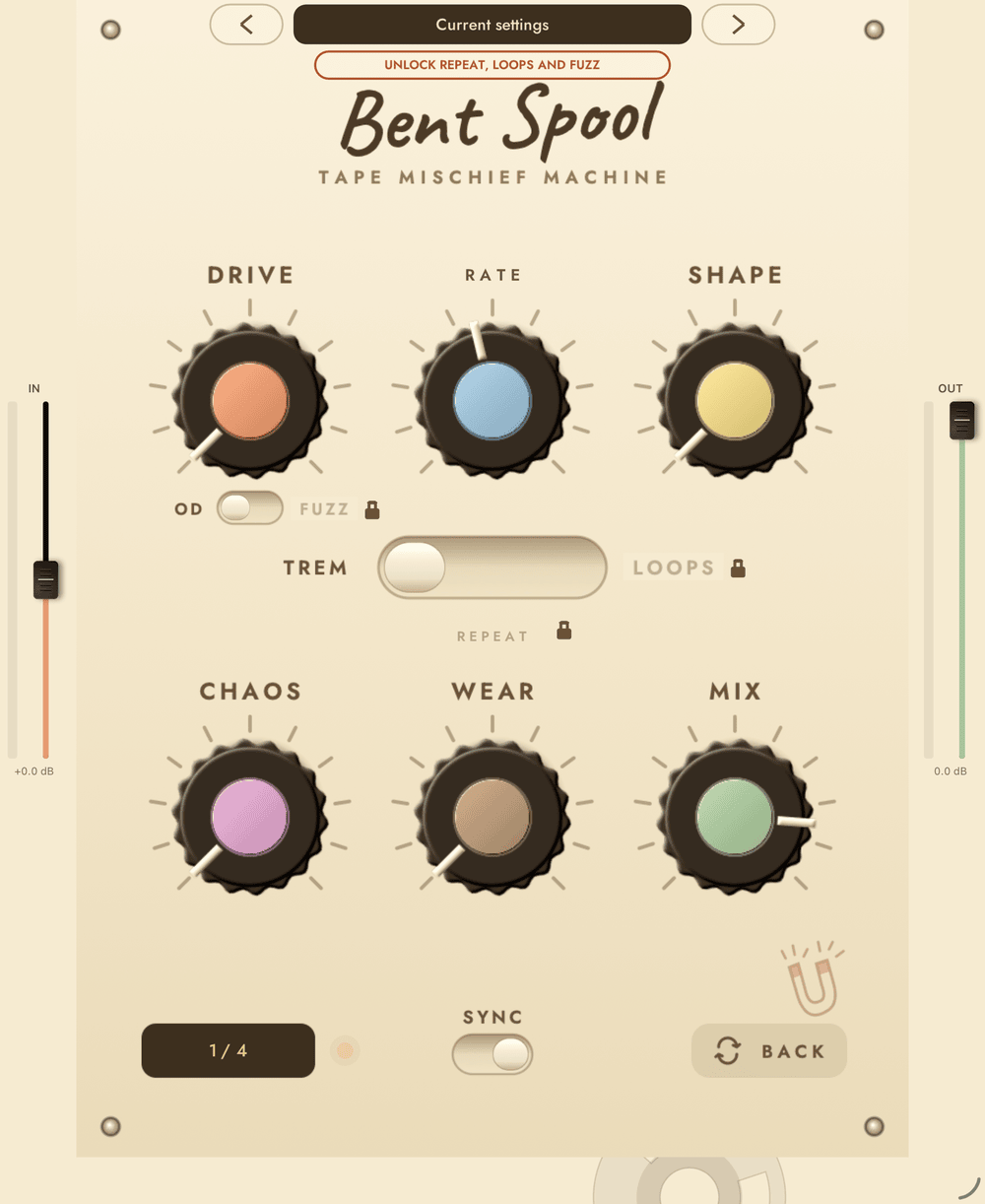
The standalone app runs Bent Spool on live audio from the device's microphone or a connected audio interface, with its own Start audio and Stop audio button and a status line. It has IN and OUT level strips with meters. IN trims the input by -24 to +24 dB. Double-tap a strip's fader to reset it. An Unlock button, which reads Unlocked once purchased, is at the top right.
Windows hosts
Windows has the VST3 and the standalone app. Install with the installer, restart your host so it rescans, and load Bent Spool as an effect in any host that loads VST3 plug-ins. There is no AU or AAX on Windows. The editor, window resizing, presets, tempo sync and demo behave as they do on the Mac.
macOS hosts
Install the plug-in formats you need with the installer, then restart the host so it rescans.
- Logic Pro and other Audio Unit hosts use the Audio Unit, which is an effect (
aufx). - Pro Tools uses the AAX plug-in. In AAX, double-clicking a knob opens typed value entry and does not reset it.
- VST3 hosts use the VST3. Presets show in the host's program list as
Factory Presets. - You can also use the standalone app, which processes live input and needs microphone permission.
The window can be resized in 75% to 200% steps by dragging the bottom-right corner or by the host, and keeps the pedal's shape. The size is remembered for next time.
Each plug-in instance in the demo has its own 60 second counter. Activate once and every format on that computer is licensed. The same license works on a Mac and on a Windows PC.