Presets
Bent Spool has 48 factory presets: 10 TREM, 15 REPEAT, 15 LOOPS and 8 FUZZ TREM. The full list is in Factory presets.
A preset stores every setting, including the mode and the drive voice. Loading REPEAT - 04 Unison Afterimage switches the mode to REPEAT. Loading a FUZZ TREM preset leaves the mode on TREM and sets the voice to FUZZ. Loading any preset overwrites DRIVE, MIX, LEVEL, the back-panel settings, the WEAR paddles and the SEED too.
Not stored: HOLD and LATCH (they always load released), which side of the pedal is showing, and the window size.
The stepper
A strip along the top of the face and the back panel shows the current preset. Arrows on either side step through the factory presets, and the list wraps around.
The name area shows:
- The full preset name, such as
TREM - 01 Quarter Sine. Edited:and the name, once you have changed any control since loading it.Current settings, when no preset is loaded, for example in a fresh copy or after a host restored a session.
From Current settings the first step loads the first factory preset, TREM - 01 Quarter Sine. The stepper ignores input while REPEAT's HOLD is down.
Desktop
Click the name to open a menu:
- TREM, REPEAT, LOOPS, FUZZ TREM submenus list the factory presets by short name. A check mark shows the current one if you haven't edited it.
- USER lists your saved presets, or
(none saved yet). - Show presets folder opens the folder in Finder on macOS or File Explorer on Windows.
- Save preset... saves the current settings. It appears only when the plug-in is licensed.
- Load preset... imports a preset file.
With the pointer over the stepper, the left and right arrow keys step too. Stepping goes through factory presets only, not your saved ones. Choose saved presets from the USER submenu.
Saving
Choose Save preset... and name the file. The save dialog opens in the presets folder:
~/Library/Application Support/Plastic Factory/Bent Spool/Presets on macOS and %APPDATA%\Plastic Factory\Bent Spool\Presets on Windows.
Presets are .bentspool files. The suggested name is the one in the stepper, with anything other than letters, digits, spaces, hyphens and underscores replaced by a hyphen. Only files in the presets folder appear under USER. If you save somewhere else, load it with Load preset....
There is no rename, delete or favorites on desktop. Use Show presets folder and manage the files in Finder or File Explorer.
Loading and importing
Pick a preset from USER to load it. Load preset... opens a file picker for a .bentspool file. It copies the file into the presets folder and then loads it. If the folder already has a file with that name, the copy gets (2), (3) and so on. Bent Spool never overwrites. A file that isn't a Bent Spool preset is refused with Not a Bent Spool preset.
Loading and importing do not need a license.
iPhone and iPad
Tap the name in the stepper to open the Presets sheet. It has a search field (Find a sound) and these sections:
FAVORITES, TREM, REPEAT, LOOPS, FUZZ TREM, YOURS.
Each row has a name, a one-line description and a star. Tap the star to add the preset to FAVORITES. Tap a row to load it.
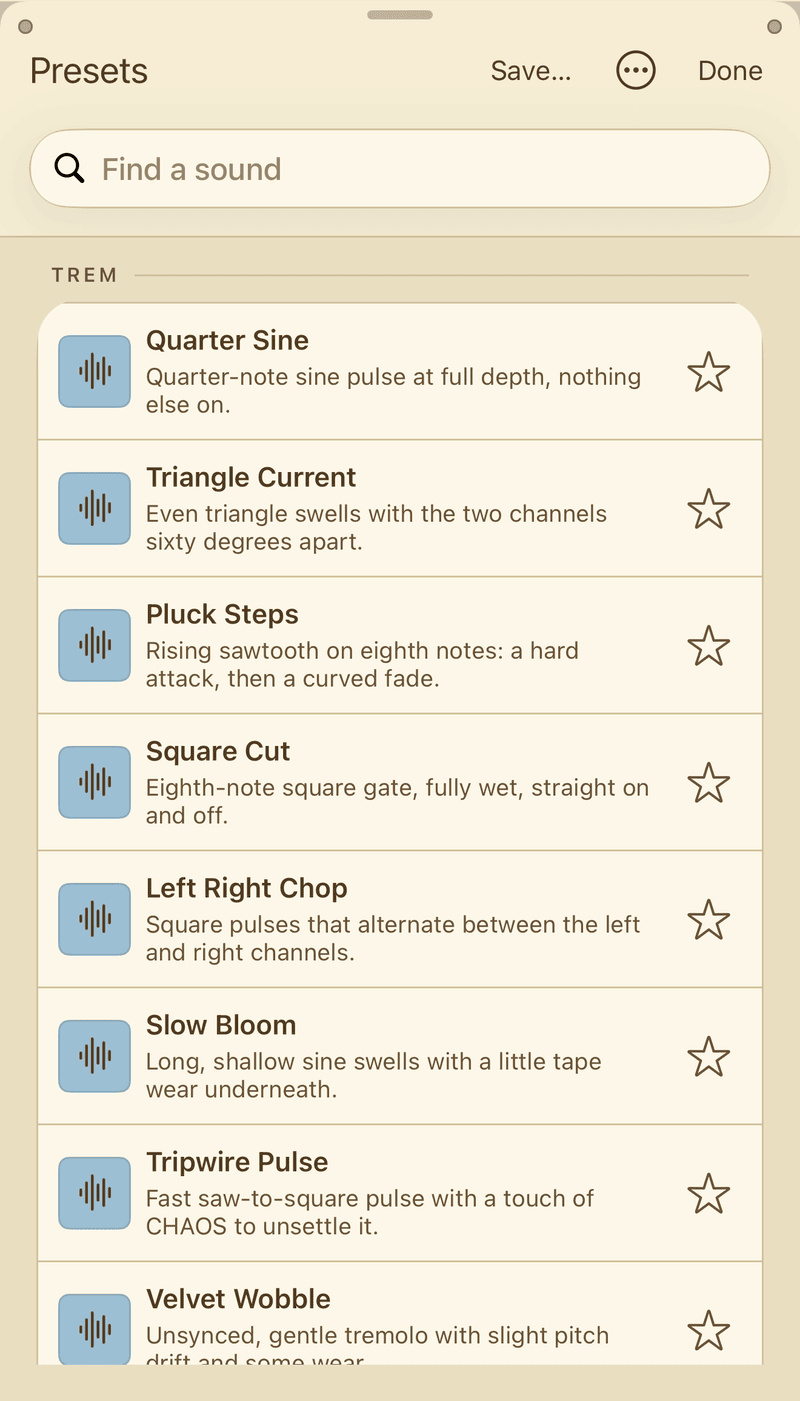
Before the unlock, rows for locked presets are dimmed and show a padlock. 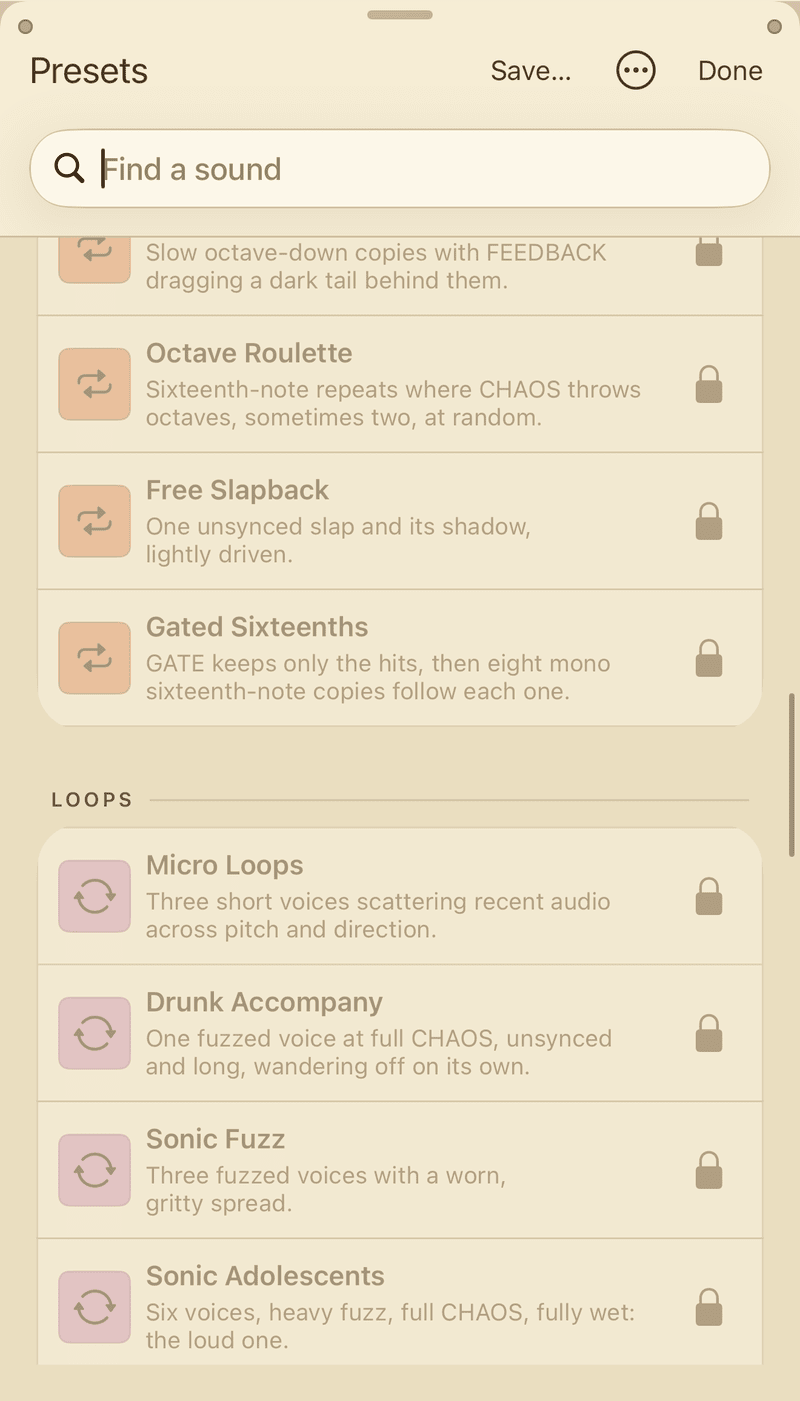
Tapping one opens the unlock sheet. The stepper arrows only go through the ten free TREM presets until you unlock.
Saving, renaming, exporting
All of these need the unlock.
- Save... at the top of the sheet saves the current settings. Names are 1 to 64 characters, can't start with a dot, and can't contain
/,\or:. A name that already exists is refused, so a save never overwrites. - YOURS lists your saved presets. Each one has a ... menu with Rename..., Export... and Delete.... Delete asks you to confirm.
- Export... hands the
.bentspoolfile to the Files picker, so you can send it elsewhere. - Import preset..., in the ... menu at the top, reads a
.bentspoolfile from Files. It lands in YOURS. It is not loaded until you select it.
Saved presets live in a folder shared by the Bent Spool app and its AUv3, so the same presets show up in both. Stepping from a saved preset goes through your saved presets. Stepping from a factory preset goes through the factory list.
Moving presets between devices
An iPhone or iPad preset exported from the Presets sheet and a desktop preset in the presets folder are the same kind of file. A .bentspool file from one loads on the other. Use Load preset... on desktop, and Import preset... on iPhone and iPad. Importing on iPhone and iPad needs the unlock.
In a host's preset menu
The 48 factory presets are in the host's own preset list under their full names, such as REPEAT - 04 Unison Afterimage. Your own saved presets are not in the host's menu. They are only in Bent Spool's own browser.
State and frozen audio
Your host saves Bent Spool's full state with the project. That is every setting, plus the frozen buffer if LOOPS FREEZE is on. The frozen buffer can be large, roughly 20 to 80 MB depending on sample rate. The frozen audio is saved when FREEZE is on and Save Frozen Audio is on, which is the default. Save Frozen Audio has no control on the panel. It is a host parameter, listed in Parameters.
A project saved with an older Bent Spool loads in a newer one, and a newer project loads in an older Bent Spool with the settings it doesn't know ignored. Values are clamped to their limits.